


A Logic Puzzle Escape Room Built for Teens and Adults
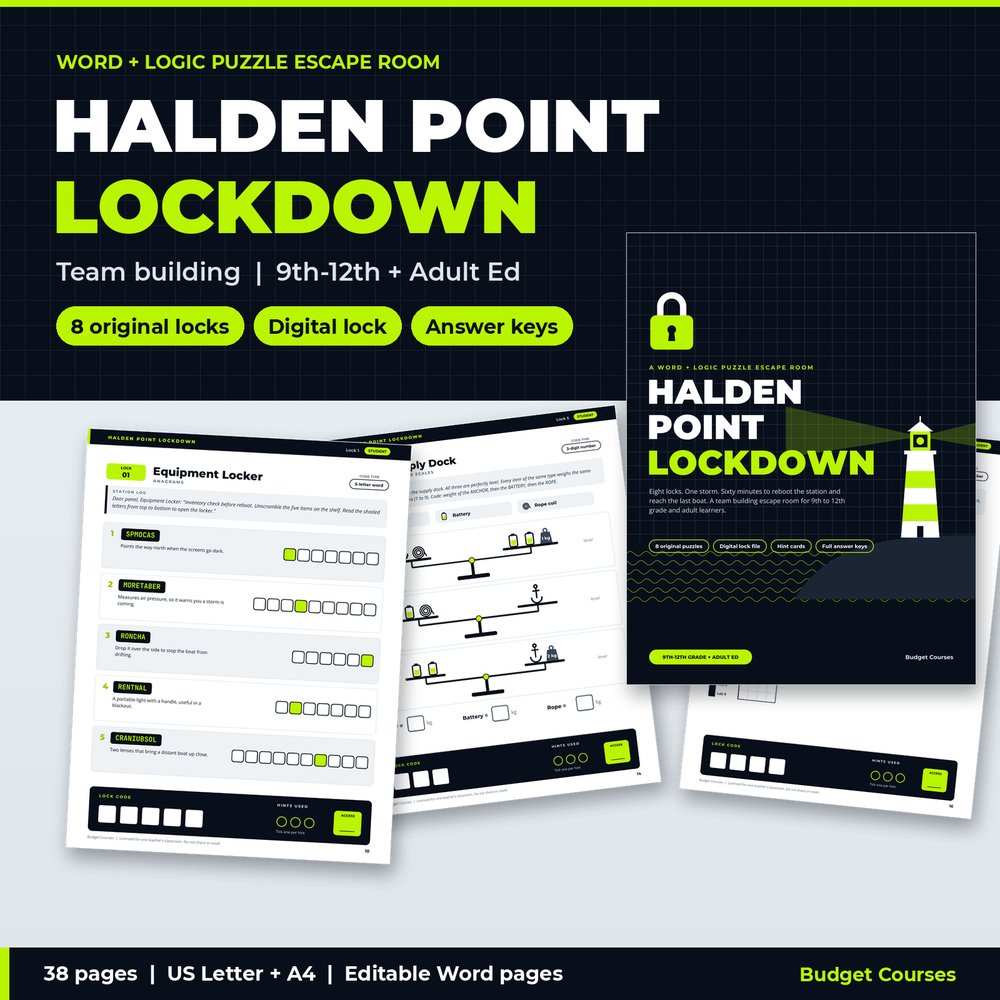
Halden Point Lockdown is a printable logic puzzle escape room for 9th to 12th grade and adult education classes. At 6:00 PM a storm knocks out the main power at a small coastal research station, and the security system seals every door. Your students are the visiting research team stuck inside. They have 60 minutes of backup power and one boat leaving the dock at 7:00 PM.
To get out, teams solve eight puzzle locks in order. Every correct code earns an access card with one letter on it. When a team holds all eight letters, they unscramble the master override word and reboot the station. The word is TEAMWORK, which makes the debrief almost write itself.
Many escape rooms for this age group feel like worksheets with a timer. This one has a real story and a mix of puzzle types.
Who This Team Building Escape Room Is For
- High school teachers who want a no-tech or low-tech team building day, a first-week activity or a strong lesson before a break
- Adult education, GED and intermediate ESL instructors who need age-respectful material with no cartoon look
- Advisory, SEL and study skills classes working on communication and problem solving
- Transition programs, youth groups, clubs and staff training sessions
Teams of 3 to 6 work best. No outside knowledge is needed: every puzzle can be solved from what is on the page.
The Eight Locks
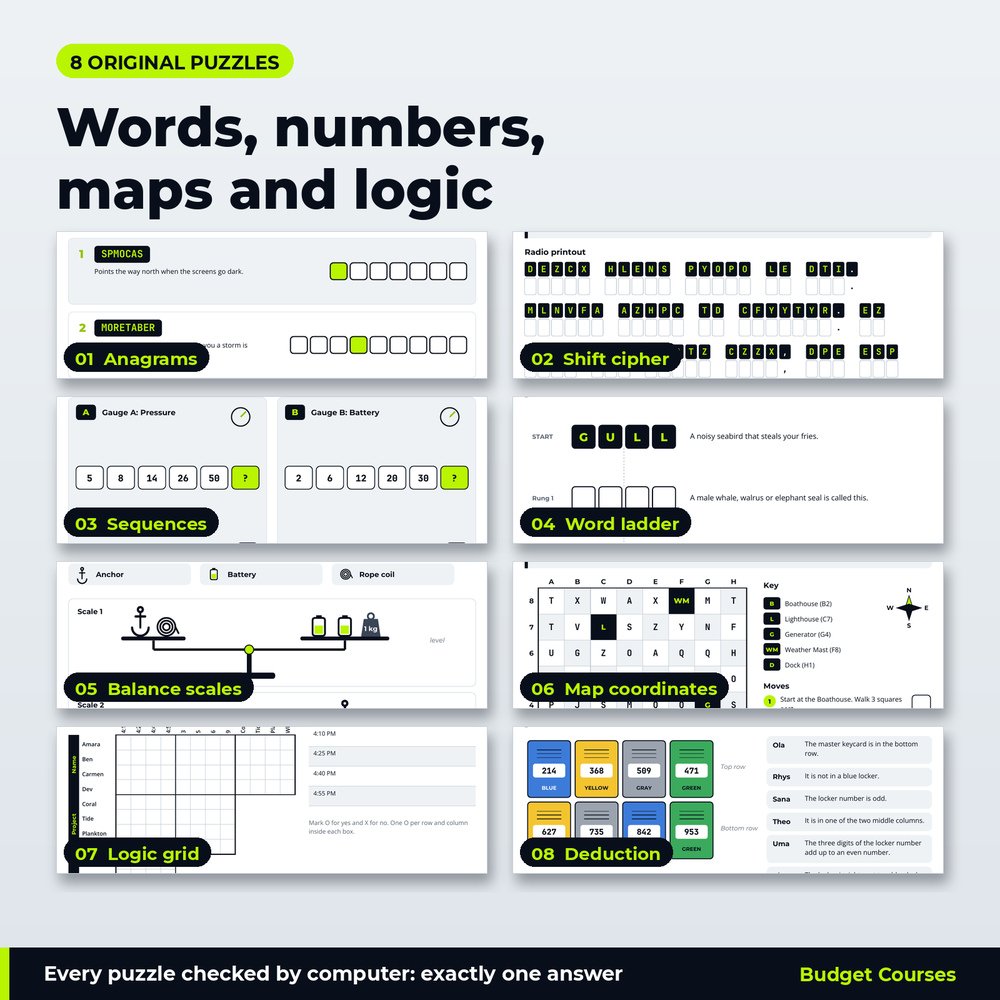
- Equipment Locker (anagrams): unscramble five pieces of field gear, then read the shaded letters.
- Radio Room (shift cipher): crack a coded radio log using the two words every log starts with.
- Control Room (number sequences): find the missing reading on four gauges.
- Station Library (word ladder): climb from GULL to HALL one letter at a time.
- Supply Dock (balance scales): work out three weights from three level scales. It is algebra without the x.
- Map Table (coordinates): follow five compass moves across a grid map of the station.
- Visitor Log (logic grid): eight clues, four researchers, one possible answer.
- Server Room (deduction): six notes about eight lockers, and exactly one note is false.
Every puzzle is original and has exactly one answer. We checked each one by computer, testing every possible answer, and every clue in the logic grid is needed. You will not get the classic escape room complaint of a team with a “right” answer the key does not accept.
What Is Included
- 38-page PDF in US Letter and A4 with a clickable contents page and bookmarks
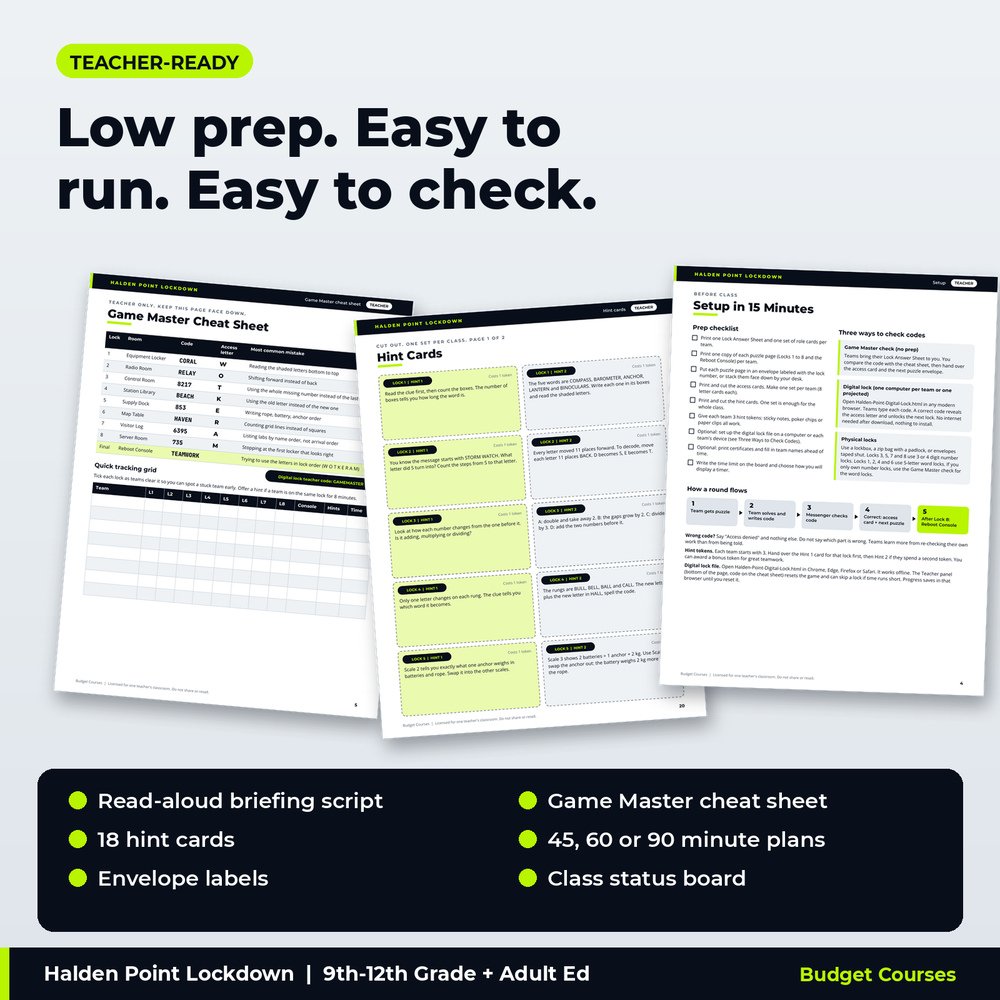
- Teacher overview, a 15-minute setup checklist and time plans for 45, 60 and 90 minutes or two class periods
- Game Master cheat sheet with every code, every access letter and the most common mistake for each lock
- Read-aloud mission briefing script and a student briefing handout with station rules
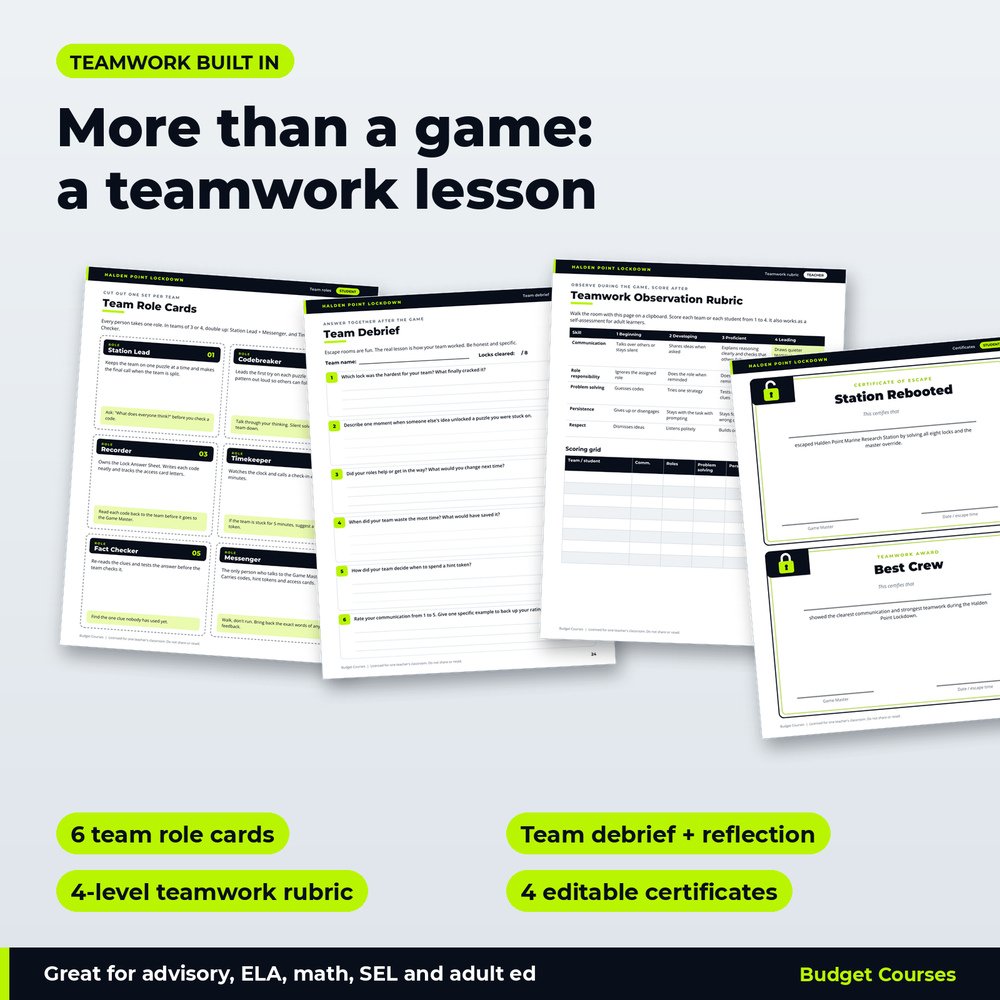
- Six team role cards: Station Lead, Codebreaker, Recorder, Timekeeper, Fact Checker and Messenger
- Lock answer sheet, eight puzzle pages and the Reboot Console final page
- Access cards, 18 hint cards (two per lock plus the console), envelope labels and a class status board
- Team debrief, individual reflection with an exit ticket, and a 4-level teamwork observation rubric
- Four certificates: Escape, Teamwork, Codebreaker and Resilience
- Answer keys that repeat every puzzle page with the answers filled in and a short worked solution
- Digital lock checker (HTML file in a zip)
- Editable Word pages for the script, rules, role cards, hint cards, debrief and certificates
- User guide (DOCX) covering setup, every feature, troubleshooting and FAQs
How the Escape Room Works
Read the two-minute briefing, hand out roles and start the clock. Each team gets Lock 1. When they think they have the code, the Recorder writes it down and the Messenger checks it with you or types it into the digital lock. A right code earns the access card and the next puzzle. A wrong code gets two words: “Access denied.” Teams can spend up to three hint tokens, and each token buys one hint card.
After Lock 8, teams lay their access cards on the Reboot Console page and unscramble the override word. Then comes the part that turns a fun game into a lesson. Teams answer six debrief questions about how they worked together, and each student rates their own teamwork.
The Digital Lock Option
The digital lock is a single HTML file that opens in Chrome, Edge, Firefox or Safari and works offline. Teams type a code into the current lock; a right code reveals the access letter and opens the next one. It includes a countdown timer with overtime, hint token tracking, a wrong-code counter and a finish screen. A teacher panel lets you reset the game, skip a lock or add five minutes. Answers are stored in scrambled form, so students cannot find them in the page source. We tested it in Chrome on desktop and at phone width.
File Formats and Software
- PDF: opens in any PDF reader. Fonts are embedded, so it prints the same everywhere.
- HTML (zipped): unzip, then open in a modern browser. Nothing to install and no account needed.
- DOCX: opens in Microsoft Word or LibreOffice Writer. Headings use built-in styles for quick restyling.
Customization
Change the time limit from 45 to 90 minutes, give out more or fewer hint tokens, or hand over free access letters if a class runs short on time. The editable Word file lets you rewrite the briefing, rename the roles, adjust hint wording and print certificates with student names. If you own padlocks, the guide tells you which locks need 3-digit, 4-digit or 5-letter locks.
Digital Download
You get the download links right after checkout and can download the files as often as you need. Nothing is shipped.
Ways Teachers Use It
- First week of school, so new classes learn to work together before the hard content starts
- The day before a long break, when you want engagement without a throwaway lesson
- Substitute plans: the briefing script and cheat sheet let a sub run it
- Adult ed orientation or a GED class warm-up on reasoning skills
FAQ
What grade level is this escape room for?
It is written for 9th to 12th grade and adult learners. A strong 8th grade group can play with extra hints.
How long does it take?
Most teams finish the eight locks in about 45 minutes. Time plans cover 45, 60 and 90 minutes and a two-day split.
Do I need padlocks or a lockbox?
No. Check codes yourself with the cheat sheet or use the digital lock. Physical locks are optional.
Does the digital lock need internet or Google?
No. It runs offline in a browser once it is downloaded and unzipped.
Is it seasonal or themed around a holiday?
No. It is a weather and science station story, so it works any month of the year.
Can I print in black and white?
Yes. Lock 8 uses colored lockers, and each locker also has its color printed on it.
Can I use it with all my classes?
Yes. The license covers your own classes and groups. Reset the digital lock between groups. Please do not share the files with other teachers.


Reviews
There are no reviews yet.