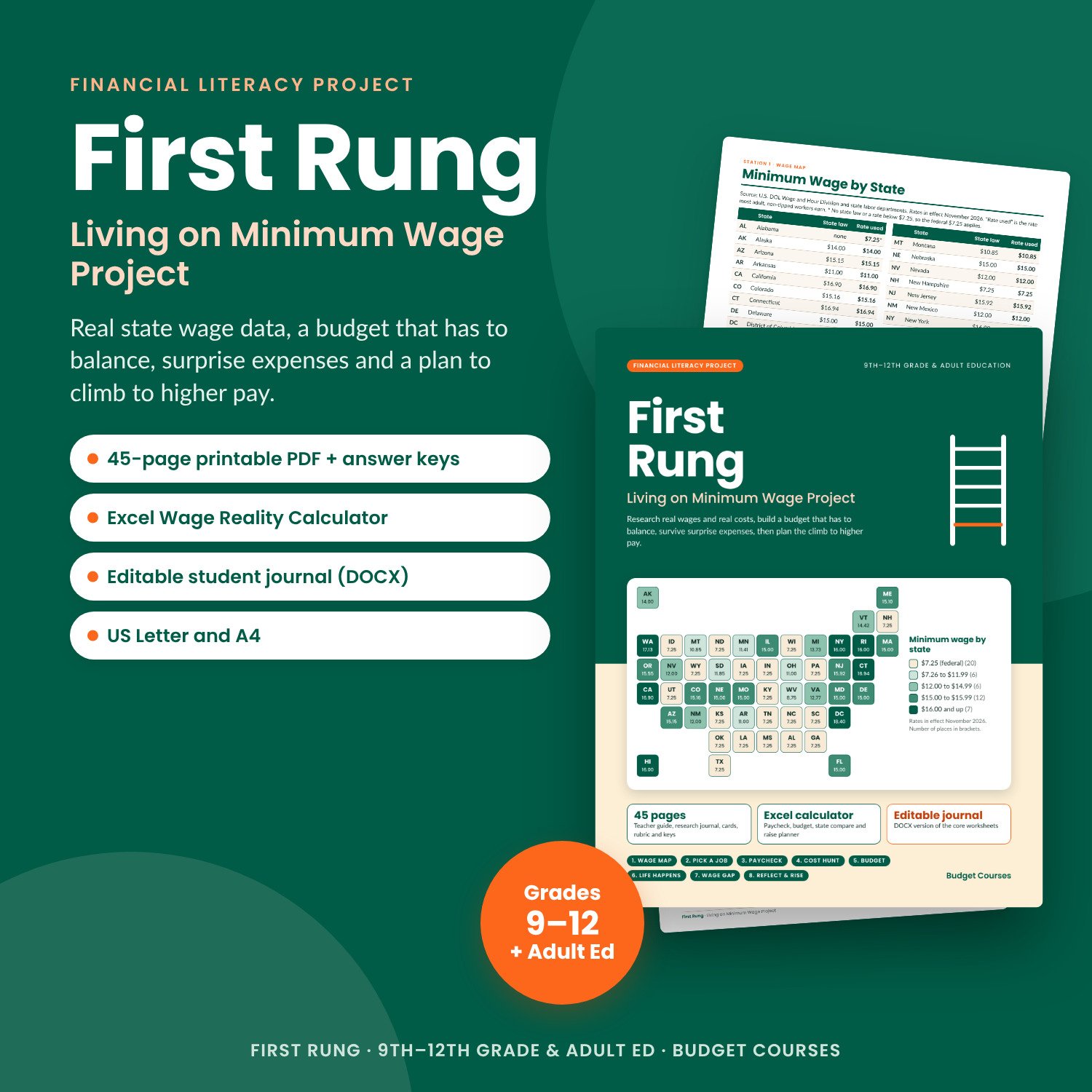



First Rung is a living on minimum wage project that asks students one honest question: could a person live on minimum wage where you live? Instead of handing them a made-up salary, it sends them to real data. Learners compare minimum wages across all 50 states and D.C., pick an entry-level job, work out take-home pay, research local rent and prices, build a budget that has to balance, survive surprise expenses, and finish with a researched plan for reaching higher pay.
It is built for high school personal finance, consumer math, economics and career readiness classes, and it works just as well in Adult Education, where many learners already know these numbers from experience.
Why this minimum wage project is different
Most budget projects give every student the same wage and stop at the budget. First Rung goes three steps further.
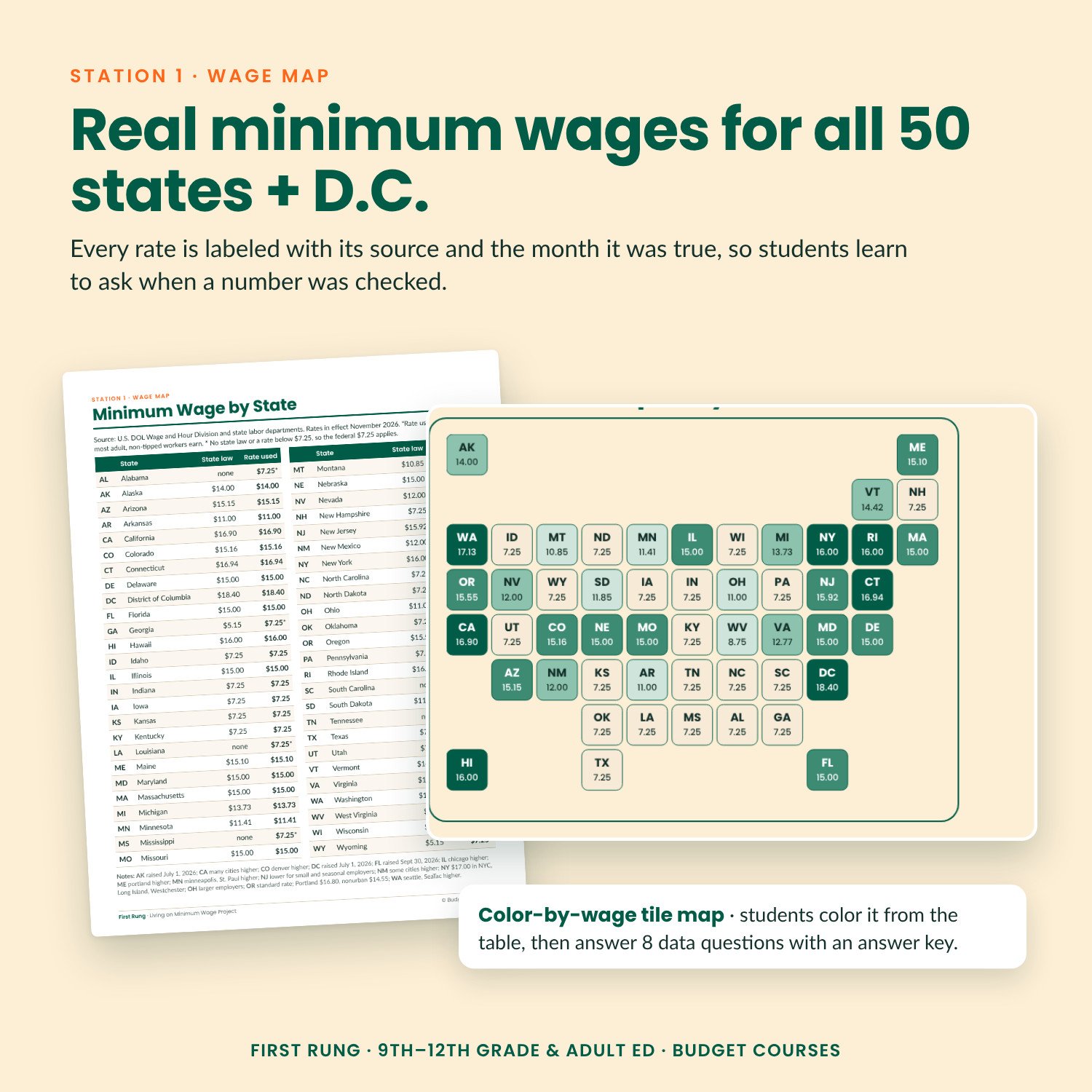
- Dated, sourced wage data. The state table lists the basic minimum wage in effect in November 2026 for every state and D.C., with the source printed on the page. Students learn to ask when a number was true and who says so.
- Same job, different state. Students keep their job and hours and change only the state. A higher wage does not always leave more money after rent, and the numbers show why.
- A path to higher pay. The project ends with a researched career ladder plan, so learners leave with next steps rather than a bleak spreadsheet.
What is included
45-page printable PDF (US Letter and A4)
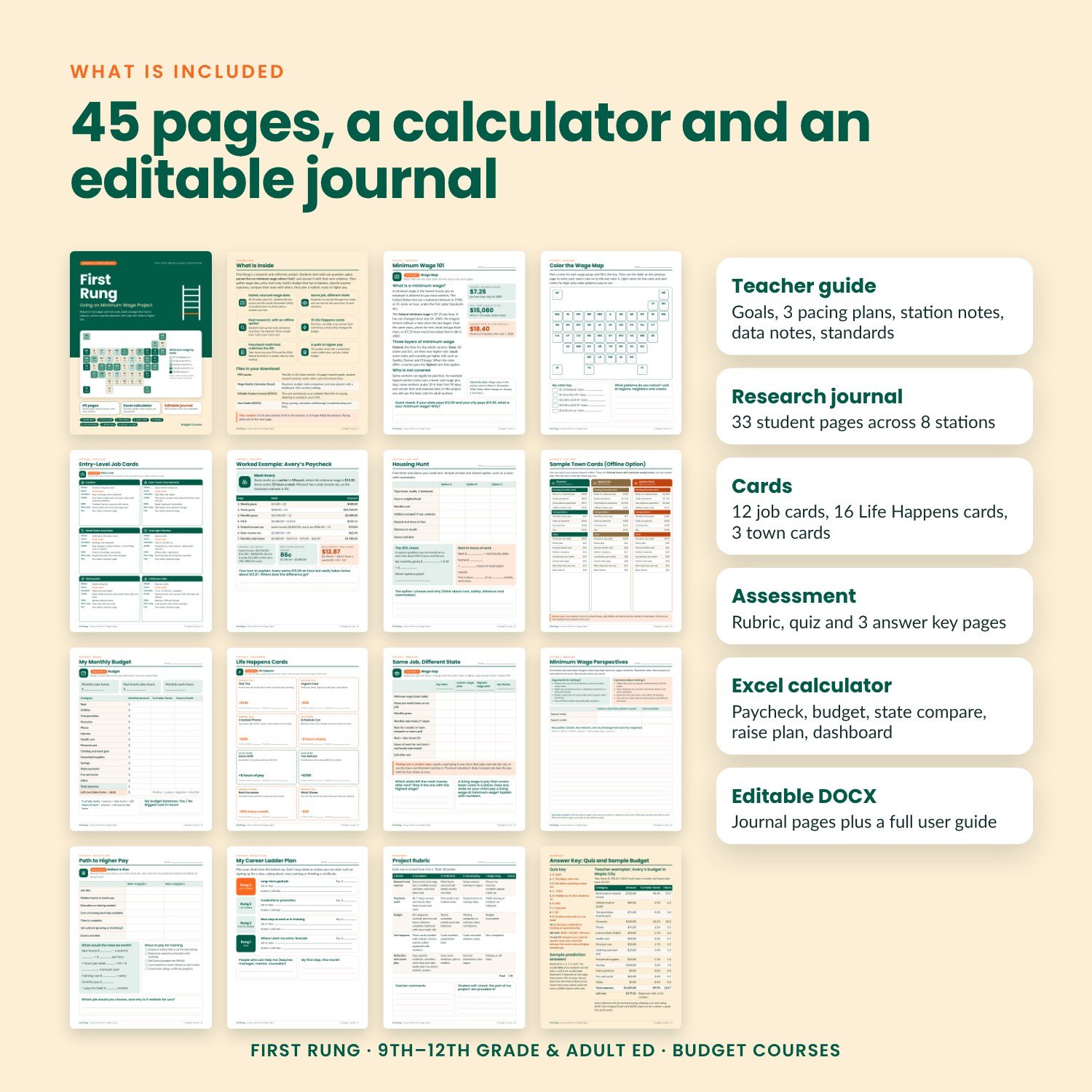
- Teacher guide: learning goals, three pacing plans (5 days, 8 days, or 3 Adult Ed sessions), station-by-station notes, a data and math explainer, standards alignment and tips for talking about money with care
- Student research journal: 33 pages across 8 stations, with a roadmap, 18-term vocabulary page and a before-and-after Reality Predictions survey
- Minimum Wage 101 reading, the state minimum wage table, a blank tile map to color by wage, and 8 data questions
- 12 entry-level job cards with hours from 24 to 40 a week, schedules, skills and the next rung on each career ladder
- Paycheck lesson with a 7-step take-home method, a worked example and three practice workers
- Cost Hunt research pages for housing, transportation, groceries and everything else, plus three offline Sample Town Cards
- Monthly budget with percent and hours-of-work columns, and a Make It Work trade-off page
- 16 Life Happens cards and a log page
- Same Job, Different State comparison and a balanced Minimum Wage Perspectives organizer
- Path to Higher Pay research, a 4-rung career ladder plan, final reflection prompts and a one-page Reality Report
- 20-point rubric, 12-question quiz, and answer keys including a fully worked sample budget
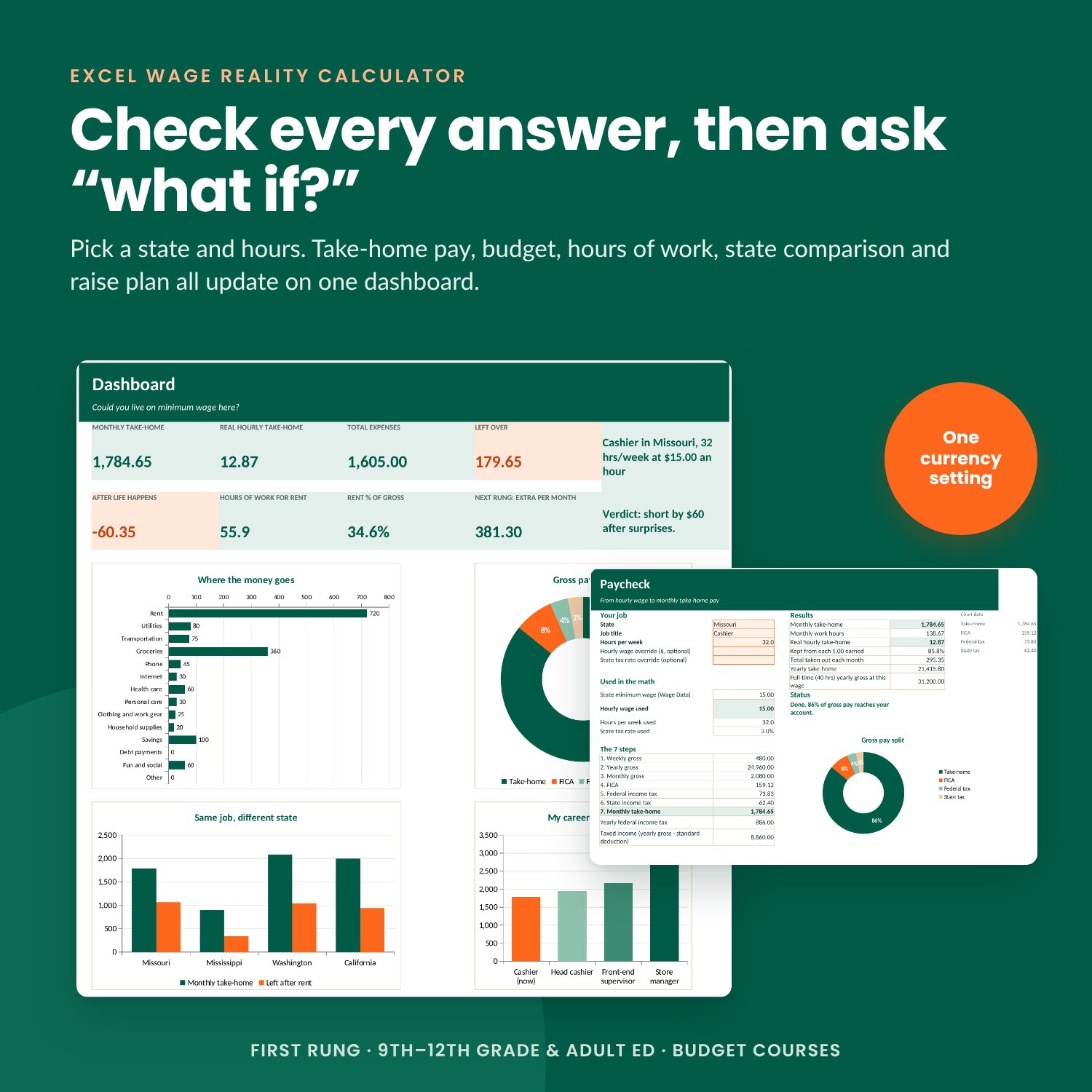
Wage Reality Calculator (Excel)
Seven tabs: Start, Paycheck, Budget, State Compare, Raise Plan, Dashboard and Wage Data. Pick a state and type hours per week, and the workbook works out every paycheck step, the real hourly take-home, each cost in hours of work, the effect of Life Happens cards, four-state comparisons and the value of a raise. The dashboard shows eight headline numbers, a verdict and four charts. One currency setting controls every money label.
Editable Student Journal (DOCX) and User Guide (DOCX)
The core worksheets come as an editable Word file for typing or posting to your class platform, and the user guide walks you through setup, every station, the calculator, customizing, troubleshooting and FAQs.
How the living on minimum wage project works
- Wage Map: read Minimum Wage 101, color the tile map, answer data questions and research your own state and city.
- Pick a Job: choose a job card and compare it with a real local job posting.
- Paycheck: turn an hourly wage into monthly take-home pay using FICA and the 2026 federal tax figures.
- Cost Hunt: find real prices, each with a source and date, or use a town card.
- Budget: balance income and costs, and see how many hours of work each bill takes.
- Life Happens: draw three cards, like a flat tire, a cut shift or a tax refund, and adjust.
- Wage Gap: rerun the job in three other states and weigh both sides of the minimum wage debate.
- Reflect and Rise: research a higher-paying job and build a career ladder plan.
Who it is for
- 9th to 12th grade personal finance, financial literacy, consumer math and economics teachers
- CTE and career readiness classes
- Adult Education, GED, ESL-supported and transition programs
- Homeschool families and adult learners working on their own
Real classroom uses
- A one-week financial literacy unit before winter break, using the 5-day plan and the town cards
- An economics lesson on minimum wage policy, using the state table, the comparison page and the perspectives organizer
- An Adult Ed goal-setting series where learners use their own state, city and next job
- A summative project for a personal finance course, graded with the 20-point rubric
File formats and software
- PDF: opens in any PDF reader; prints on US Letter or A4 with all fonts embedded and a clickable contents page
- XLSX calculator: built and tested for Microsoft Excel and LibreOffice Calc; formulas are locked with no password and input cells are orange
- DOCX journal and guide: Microsoft Word or LibreOffice Writer
Google Sheets and Google Docs were not tested, so they are not promised.
Customizing
Update any state rate on the Wage Data tab and every tab follows. Rename budget categories, type a real state tax rate, add your own Life Happens amounts, or edit the job hours in the DOCX journal to match jobs in your town.
Digital download
This is a digital product. You get five files right after checkout: the PDF in US Letter and A4, the Excel calculator, the editable student journal and the user guide. Nothing is shipped. License: one teacher with their own students, or one person at home; please do not share or resell the files.
FAQ
How long does the minimum wage project take?
Five to eight class periods of 45 to 55 minutes, or three 2-hour Adult Ed sessions. Pacing plans for all three are included.
Are the minimum wage rates current?
The table shows rates in effect in November 2026 with the source. Rates change, often on January 1 and July 1, so the guide shows you how to check dol.gov and update the calculator.
Do students need internet access?
No. Online research is encouraged, but three Sample Town Cards supply classroom prices for rent, transit, food and more.
Is the paycheck math accurate?
It is a teaching estimate using FICA and the 2026 IRS figures for a single filer, with a simple 0% or 3% state rate. Real paychecks vary with credits and benefits, and the guide explains this.
Is the minimum wage debate page balanced?
Yes. It lists arguments for raising the minimum wage and concerns about raising it, then asks students to find evidence for both sides.
Are answer keys included?
Yes: keys for the wage map questions, the paycheck practice and the quiz, plus a fully worked sample budget.
Can I use it with Adult Education learners?
Yes. Adult learners can use their own state and city, and the career ladder plan becomes a personal goal sheet.


Reviews
There are no reviews yet.